

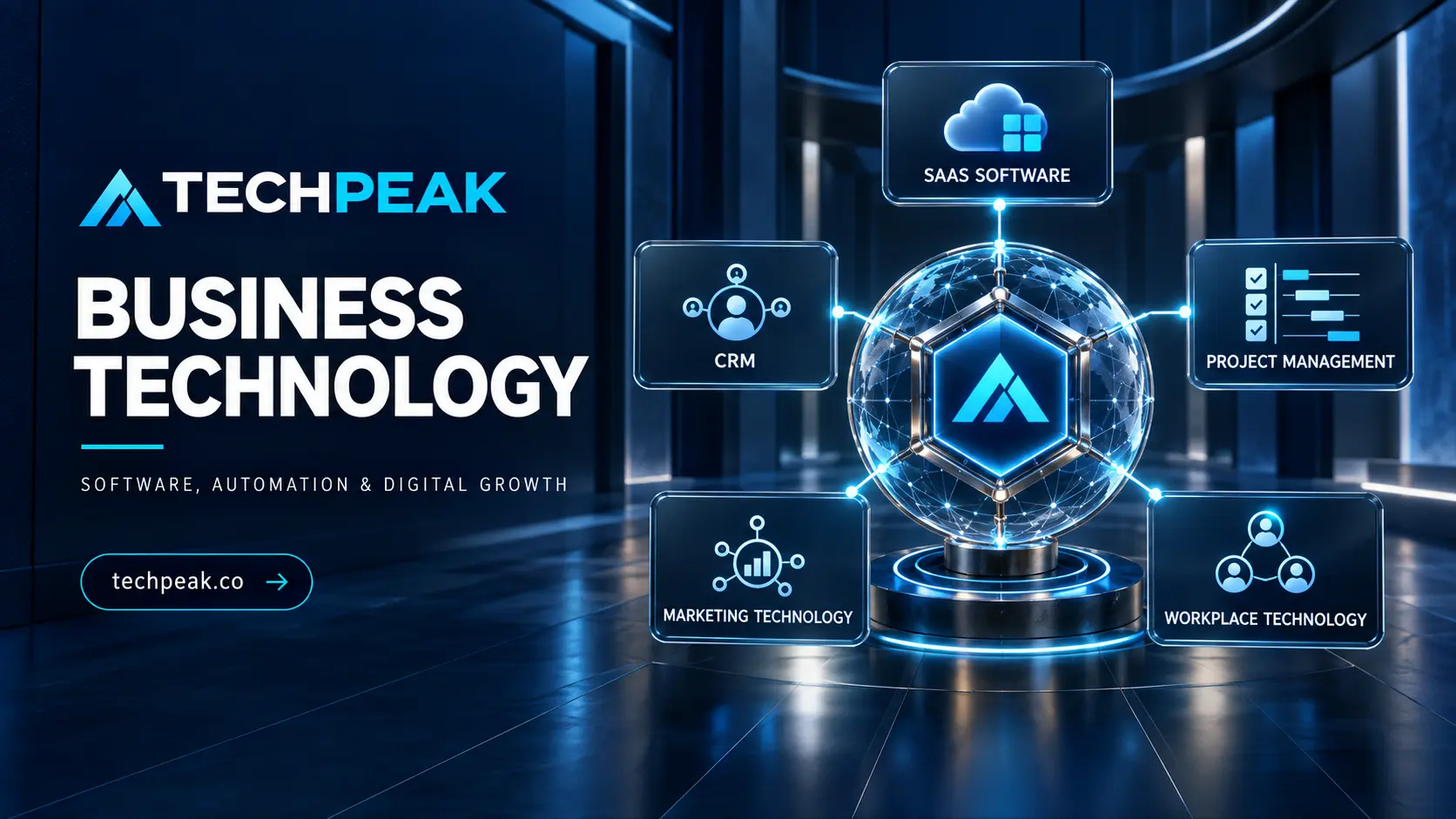
Business technology is the software, hardware, data and digital infrastructure an organization uses to operate, communicate, serve customers and make decisions. The right technology can remove repetitive work, connect scattered information and create better experiences. The wrong technology can add cost, security exposure and complexity without solving the underlying problem.
This guide explains how U.S. businesses can evaluate and use five important technology categories: software as a service (SaaS), customer relationship management (CRM), project-management software, marketing technology and workplace technology. It also provides a practical framework for selecting, securing, implementing and measuring a business technology stack.
The short answer: Start with a measurable business problem—not a product. Map the process and data involved, establish requirements, compare a small number of qualified options, test realistic workflows, review security and contract terms, and measure adoption and business results after implementation.
What is business technology?
Business technology includes digital systems that help people complete work or enable the organization to deliver value. Examples include accounting platforms, CRM systems, cloud storage, project trackers, communication tools, analytics platforms, marketing automation and identity-management services.
Technology is not a strategy by itself. A tool becomes useful when it supports a defined process, has a responsible owner and produces an outcome the business values. Buying software before clarifying those elements often replaces one inefficient process with a more expensive digital version of it.
What is a business technology stack?
A technology stack is the collection of applications, platforms, integrations, devices and data systems used by a business. A small company might rely on a dozen core systems; a larger organization may use hundreds. The objective is not to build the largest stack. It is to create a controlled set of tools that work together, protect information and support employees and customers.
A healthy stack should answer six questions:
- What business capability does each tool provide?
- Who owns its configuration, budget and results?
- What information does it collect or exchange?
- Which other systems depend on it?
- How is access granted, reviewed and removed?
- What is the exit plan if the company changes vendors?
Why business technology matters
Technology can help a business scale activities that would otherwise require more manual effort. It can standardize work, shorten response times, improve visibility and support consistent customer service. However, value comes from the combination of software, process, data and people.
Common benefits include:
- Operational efficiency: Automation reduces avoidable data entry, handoffs and status chasing.
- Better decisions: Shared reporting can replace conflicting spreadsheets and incomplete snapshots.
- Customer continuity: A CRM can preserve the history of relationships when employees or teams change.
- Distributed work: Cloud collaboration allows authorized people to access current information from approved locations and devices.
- Growth capacity: Repeatable workflows help a company handle more leads, projects or customers without proportional administrative growth.
- Risk control: Centralized identity, logs, backups and standardized permissions can improve oversight when configured correctly.
Technology also introduces risks. Poor implementation can expose sensitive data, create vendor lock-in, fragment reporting or encourage employees to use unauthorized applications. A sound digital-growth strategy evaluates benefits and risks together.
The five layers of a modern business technology stack
| Technology category | Primary purpose | Typical users | Questions to answer |
|---|---|---|---|
| SaaS software | Deliver cloud-based business capabilities | Company-wide or specialized teams | Is the service reliable, secure and portable? |
| CRM software | Manage prospects, customers and revenue activity | Sales, service and marketing | Will people maintain accurate customer records? |
| Project-management software | Plan and coordinate work | Project teams and leadership | Does it make ownership and dependencies visible? |
| Marketing technology | Attract, engage and measure audiences | Marketing, sales and analytics | Can it connect activity to consent and outcomes? |
| Workplace technology | Support communication, productivity and access | All employees | Does it simplify work while protecting information? |
These categories overlap. A CRM may include email automation; a workplace suite may include project tracking; and a marketing platform may include customer profiles. Evaluate capabilities and data flows instead of relying only on product labels.
SaaS software
Software as a service is software operated by a provider and accessed through a network, often through a browser or application interface. The customer generally uses and configures the application without managing the underlying cloud infrastructure. This aligns with the National Institute of Standards and Technology definition of SaaS.
Examples include cloud accounting, file sharing, help desks, payroll, design platforms, email systems and online productivity suites.
Benefits of SaaS
SaaS can reduce the need to install and maintain software on each device. Subscription models may make initial costs more predictable, updates can be delivered centrally, and cloud access can support distributed teams. Integrations and application programming interfaces can also connect specialized tools.
Those benefits do not remove customer responsibility. A vendor may secure its infrastructure while the customer remains responsible for user access, configuration, data handling and connected applications.
How to evaluate SaaS software
Assess a SaaS provider across the complete operating relationship:
- Functional fit for critical workflows
- Availability commitments and service history
- Authentication options, including multifactor authentication and single sign-on
- Role-based permissions and audit logs
- Encryption and data-protection practices
- Data location, retention and deletion options
- Backup, restoration and business-continuity provisions
- Integration methods, limits and maintenance
- Export formats and migration assistance
- Support channels and response commitments
- Contract renewal, price-change and cancellation terms
- Accessibility of employee- and customer-facing interfaces
CISA recommends practices such as multifactor authentication, strong passwords and audit logging for cloud applications. Its Secure Cloud Business Applications project illustrates why SaaS configuration deserves active attention.
The real cost of SaaS
Subscription price is only one component of total cost of ownership. Include implementation, data cleanup, integrations, training, administration, premium support, usage overages and eventual migration. Examine whether pricing is based on users, records, storage, transactions, contacts, features or consumption. Model a realistic three-year scenario rather than comparing introductory monthly prices.
CRM software
Customer relationship management software provides a shared system for managing information about prospects, customers and interactions. It can support lead capture, opportunity tracking, sales forecasting, service requests and customer communications.
A CRM is not merely a contact list. It should establish a dependable customer record and guide people through defined actions. If the organization has inconsistent sales stages or unclear ownership, software alone will not resolve those problems.
Core CRM capabilities
Depending on the business model, useful capabilities may include:
- Account and contact records
- Lead assignment and qualification
- Opportunity stages and forecasts
- Email, calendar and phone integration
- Tasks, reminders and workflow automation
- Customer-service cases
- Consent and communication preferences
- Dashboards and attribution reporting
- Application integrations and data synchronization
How to choose CRM software
Begin with the customer journey. Document how a person becomes a lead, how the lead is qualified, when an opportunity is created, how a sale is completed and how post-sale support is delivered. Then identify the minimum data and actions required at each stage.
Choose a CRM that supports those workflows without excessive customization. Test ordinary and difficult cases: duplicate contacts, reassigned accounts, multiple decision-makers, renewals, refunds and permission restrictions. Ask frontline employees to perform real scenarios during the trial. Their ability to use the system consistently matters more than a long feature list.
CRM implementation mistakes
Common failures include importing unreliable data, creating too many required fields, allowing unrestricted administration and measuring activity without business context. Establish data standards, role permissions, lifecycle definitions and reporting ownership before launch. Train users on why information is collected—not only where to click.
Project-management software
Project-management software helps teams organize work by defining deliverables, owners, deadlines, dependencies and status. Common views include lists, boards, calendars, timelines and workload plans.
The best system is not necessarily the one with the most views. It is the one the team will maintain accurately enough to support coordination and decisions.
What project-management software should provide
A practical platform should make it easy to answer:
- What outcome is the project expected to deliver?
- Who owns each task and decision?
- What is due next?
- Which tasks depend on other work?
- What is blocked or at risk?
- Where are decisions, files and approvals recorded?
- How will stakeholders see progress without unnecessary meetings?
Project-management software versus work-management software
Traditional project management often focuses on time-bound initiatives with a defined beginning and end. Work management may also cover recurring operations, requests and ongoing team processes. Many platforms support both, but the distinction helps determine whether the business needs scheduling depth, request intake, resource planning, repeatable templates or portfolio reporting.
Avoid turning task software into surveillance
Detailed activity does not automatically show valuable output. Excessive monitoring can encourage people to optimize visible clicks instead of customer and business results. Measure delivery, quality, cycle time, workload health and resolved constraints. Be transparent about what employee data is collected and consult qualified HR or legal professionals regarding applicable employment and privacy requirements.
Marketing technology
Marketing technology—often called martech—is the software used to plan, create, distribute, personalize and measure marketing. It may include content-management systems, email platforms, customer-data tools, advertising platforms, analytics, social publishing, conversion optimization and marketing automation.
Build martech around the customer journey
Begin with how audiences discover, evaluate, purchase and continue using the company’s offering. Identify the questions people ask, the channels they use and the consent required for communications. Select technology only after defining those needs.
A practical marketing technology flow might include:
- A website or landing page captures an inquiry.
- Consent and source information are recorded.
- The lead enters the CRM with agreed field definitions.
- Automation sends relevant communications or creates a follow-up task.
- Sales and marketing use the same lifecycle stages.
- Reporting connects activity to qualified opportunities, revenue or retention.
Marketing automation
Marketing automation uses rules, triggers or models to perform repeatable actions such as routing leads, scheduling messages or updating audiences. Good automation improves relevance and reduces manual coordination. Poor automation distributes mistakes faster.
Before automating, define the trigger, eligibility rules, exclusions, message, owner, error handling and stop condition. Test with a small audience, monitor results and provide a human path for exceptions. Avoid automating sensitive claims or high-impact decisions without appropriate review.
Marketing analytics and attribution
No single metric explains marketing performance. Combine leading indicators such as qualified visits and engagement with business outcomes such as pipeline, revenue, acquisition cost and retention. Document what an attribution report can and cannot prove. Privacy controls, tracking restrictions, offline activity and multiple customer touchpoints make perfect attribution unrealistic.
Workplace technology
Workplace technology includes the tools employees use to communicate, create documents, hold meetings, find knowledge and securely access business systems. It can include productivity suites, messaging, video conferencing, intranets, knowledge bases, device management and identity services.
Design for focused work
Adding communication channels can create more interruption rather than better collaboration. Define which medium should be used for urgent messages, decisions, project updates, shared knowledge and formal records. Encourage searchable documentation for information that should outlast a chat thread.
Hybrid and remote work
For distributed teams, workplace technology should support equitable participation. Meetings need clear agendas, accessible materials and documented decisions. Employees should be able to contribute without being physically present. Review captioning, keyboard navigation, screen-reader compatibility and color contrast when selecting platforms.
The U.S. Department of Justice explains that businesses open to the public must provide equal access to the goods and services they offer, including online experiences. Its web accessibility guidance is an appropriate starting point, but organizations should obtain advice for their specific obligations.
Identity is part of workplace technology
Centralized identity can make access easier to manage. Use unique accounts, appropriate multifactor authentication, role-based access and prompt offboarding. Review privileged access and unused accounts regularly. CISA explains that multifactor authentication adds protection beyond a password.
Business automation: what to automate and what to keep human
Automation is the use of software to execute steps with limited manual effort. It can be rules-based, integration-driven, robotic or supported by artificial intelligence.
Good candidates are frequent, stable, measurable and low-ambiguity tasks. Examples include creating a project after a sale, routing an inquiry, reminding an owner about an overdue approval or synchronizing approved data between systems.
Keep meaningful human oversight when work involves judgment, exceptions, sensitive personal data, legal rights, safety, employment, credit, health or significant financial consequences. AI-generated output should be verified rather than treated as inherently accurate.
A simple automation test
Before building an automation, ask:
- Is the existing process necessary and understood?
- Are its inputs accurate and standardized?
- Can the decision rules be explained?
- What happens when data is missing or an integration fails?
- Who receives an alert and can correct the result?
- How will the business measure time saved, quality or customer impact?
Automate a small, observable workflow first. Document the logic and assign an owner. Complexity hidden inside no-code tools is still operational complexity.
How to choose business technology
Step 1: Define the problem and baseline
State the problem in operational terms: “Qualified leads wait two days for assignment” is more useful than “We need a better CRM.” Record the current volume, time, error rate, cost or customer effect so improvements can be measured.
Step 2: Map the process and stakeholders
Document the current workflow, including unofficial spreadsheets and manual workarounds. Identify users, administrators, decision-makers, customers and teams affected downstream.
Step 3: Separate requirements from preferences
Classify requirements as mandatory, important or optional. Include security, privacy, accessibility, integration, data-retention and reporting needs—not only user-interface features.
Step 4: Build a qualified shortlist
Use a consistent method to compare a small number of providers. Review official documentation, contracts, support policies and independent evidence. Do not allow popularity or an impressive demonstration to replace fit assessment.
Step 5: Run scenario-based demonstrations
Give each provider the same realistic scenarios and data questions. Ask them to show the workflow rather than confirm that a feature exists. Include failures and edge cases.
Step 6: Conduct security, privacy and legal review
Identify the information the service will process and the harm that unauthorized access, loss or misuse could cause. Review authentication, roles, logging, incident notification, subcontractors, retention, deletion and export. The FTC advises businesses to establish security expectations in contracts with service providers that access sensitive information; see its guidance on working securely with service providers.
For a broader risk structure, the NIST Cybersecurity Framework 2.0 organizes outcomes under Govern, Identify, Protect, Detect, Respond and Recover. CISA’s Secure by Design guidance also encourages customers to expect software manufacturers to treat customer security as a core requirement.
Step 7: Calculate total cost and contractual risk
Model licenses, usage growth, implementation, integration, support, training and migration. Examine auto-renewal, minimum terms, price increases, ownership of configured assets, service-level remedies and the process for retrieving or deleting data after termination.
Step 8: Pilot the real workflow
Use a representative group, defined success measures and a limited timeline. A pilot should test adoption, output quality, integration behavior, reporting and support—not simply whether users like the interface.
Step 9: Plan implementation and change
Assign an executive sponsor, system owner, administrator and process owners. Clean data before migration, test integrations, create role-based training and communicate what will change. Provide support after launch and preserve a rollback or continuity plan for critical transitions.
Step 10: Review results and rationalize the stack
Compare post-launch outcomes with the baseline. Review unused licenses, overlapping applications, access, integrations and renewal dates at least periodically. Retire tools safely by exporting required data, preserving records and revoking connections.
A practical software evaluation scorecard
Use weighted criteria rather than a feature-count contest.
| Criterion | Suggested weight | Evidence to request |
|---|---|---|
| Workflow and user fit | 25% | Scenario demonstration and pilot results |
| Security and privacy | 20% | Security documentation, controls and contract terms |
| Integration and data portability | 15% | API documentation, export test and dependency map |
| Total cost of ownership | 15% | Three-year cost model and pricing assumptions |
| Reliability and support | 10% | Service commitments, escalation path and support test |
| Reporting and administration | 10% | Role, audit and reporting demonstrations |
| Accessibility | 5% | Accessibility documentation and user testing |
Adjust the weights to the use case. Security and continuity should receive greater weight for systems handling sensitive data or supporting critical operations.
Integration, data and governance
Create a system of record
For each important type of information, determine which system is authoritative. Customer identity might belong in the CRM, invoices in accounting software and employee records in an HR system. Unclear ownership produces duplicates and conflicting reports.
Treat integrations as products
Every integration needs an owner, documentation, monitoring and recovery steps. Record the source, destination, fields, frequency, authentication method and response to failure. An automation that silently stops can be more dangerous than a visible manual process.
Control shadow IT
Employees often adopt unauthorized tools because approved processes are slow or inadequate. Create a simple request and review process so teams can propose software without bypassing security and purchasing controls. Maintain an application inventory and revoke access when tools are no longer approved.
How to measure technology ROI
Return on investment should connect implementation to business outcomes. Depending on the project, measures may include:
- Cycle time and hours of manual work
- Error, rework or support rates
- Lead response and conversion rates
- Customer retention and satisfaction
- Project predictability and blocked work
- Employee adoption and task completion
- System availability and recovery performance
- Cost per transaction or customer served
Calculate financial return cautiously. Do not assume every saved minute becomes cash. Distinguish capacity created from expenses actually reduced. Review unintended effects, including new administrative work, customer friction or increased risk.
A 90-day business technology roadmap
1–30 Days: Understand and prioritize
- Inventory important applications, owners, costs and renewal dates.
- Map one high-value process and its data flows.
- Identify duplicate tools, access gaps and manual bottlenecks.
- Define a baseline and select one realistic improvement.
31–60 Days: Select and test
- Create mandatory and optional requirements.
- Compare a qualified shortlist using the same scorecard.
- Review security, privacy, accessibility and contracts.
- Pilot real workflows with representative users.
61–90 Days: Implement and measure
- Clean and migrate approved data.
- Configure roles, MFA, logging and integrations.
- Train users by role and publish support procedures.
- Measure results against the baseline and document improvements.
- Schedule access, license and renewal reviews.
Common business technology mistakes
- Buying a product before defining the problem
- Copying another company’s stack without considering workflows
- Paying for overlapping platforms
- Migrating poor-quality data into a new system
- Ignoring integrations and export limitations
- Giving every user broad administrative access
- Treating implementation as a one-time IT project
- Automating unclear or unstable processes
- Measuring logins instead of outcomes
- Claiming AI or automation has replaced professional judgment
- Failing to plan for renewal, outage or vendor exit
Frequently asked questions
What is business technology?
Business technology is the combination of software, hardware, data and digital systems used to run operations, support employees, serve customers and make decisions.
What is the best technology for a small business?
There is no universal best stack. Most small businesses need secure communication, document storage, accounting, customer management and work coordination, but the right products depend on workflow, risk, budget and integration requirements.
What is SaaS software?
SaaS software is operated by a provider and accessed over a network, commonly through a browser or application. The customer generally configures and uses the application without managing its underlying cloud infrastructure.
What is CRM software used for?
CRM software centralizes information about prospects and customers. It can support lead management, sales activity, forecasting, service history, communications and reporting.
What is business process automation?
Business process automation uses software to perform repeatable workflow steps, such as routing requests, creating records or sending reminders, with limited manual effort.
How should a company choose business software?
Define the problem, map the workflow, establish requirements, compare qualified providers, test realistic scenarios, assess security and contracts, calculate total cost and pilot before a broad rollout.
How many software tools should a business use?
Use as many as needed to support important capabilities—but no more. Each application adds cost, access, data, integration and training obligations, so overlapping or unused tools should be reviewed and retired safely.
How do you calculate technology ROI?
Compare measurable post-implementation outcomes with a documented baseline and include the complete cost of licenses, implementation, administration, integration, training and migration.
Can automation replace employees?
Automation can change or reduce particular tasks, but it does not eliminate the need for process ownership, exception handling, quality review and accountable decisions. Workforce decisions also require careful human, legal and ethical review.
How can a business secure cloud software?
Use unique accounts, appropriate MFA, least-privilege access, logging, secure configurations, timely offboarding, vendor review and tested continuity plans. Responsibilities should be clearly divided between the provider and customer.
Conclusion
Effective business technology solutions begin with clarity. Define the problem, understand the process and decide what success means before comparing platforms. Choose tools that employees can use, administrators can govern and the business can leave without losing control of its data.
SaaS, CRM, project-management, marketing and workplace platforms can support meaningful digital growth when they operate as a connected system. The durable advantage is not owning more software. It is building disciplined capabilities around people, process, data, security and continuous improvement.
