
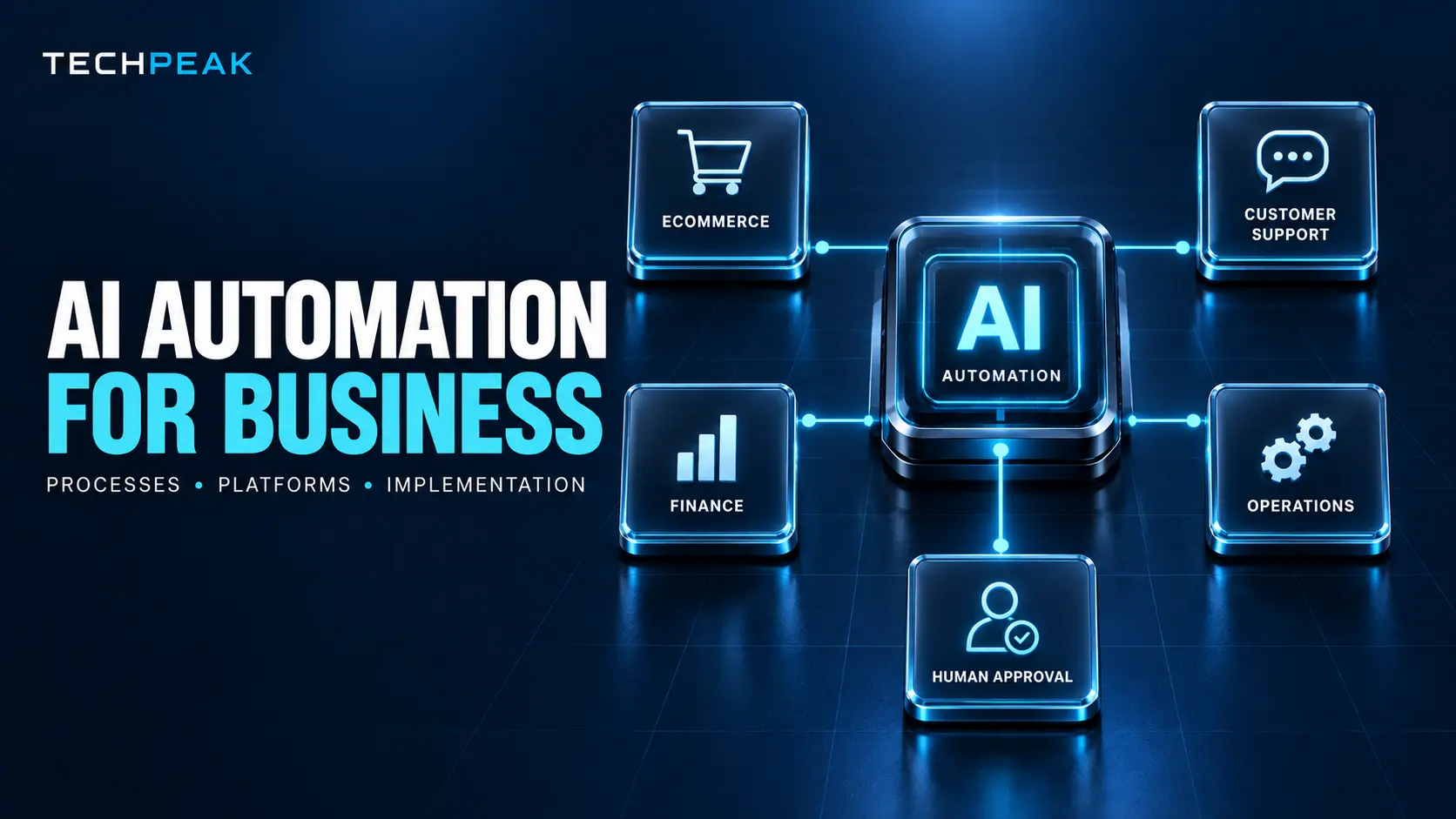
AI automation allows businesses to complete repeatable work, interpret unstructured information, coordinate software, and support decisions with less manual effort. Unlike traditional automation, which normally depends on fixed rules, AI-powered automation can classify messages, extract information from documents, summarize conversations, recognize patterns, generate content, and recommend an appropriate next action.
That additional flexibility makes AI automation useful in customer support, ecommerce, sales, finance, operations, document processing, and other functions that involve both repetitive tasks and limited judgment.
However, successful automation is not simply a matter of connecting an AI model to every application. A reliable system combines AI with business rules, integrations, human approvals, access controls, testing, and ongoing monitoring.
The practical goal is not to remove people from every process. It is to let software handle predictable work while employees concentrate on decisions, relationships, exceptions, and strategy.
Quick answer: AI automation for business is the use of artificial intelligence, workflow software, integrations, and predefined controls to complete or assist with business processes. Suitable processes are generally frequent, measurable, digitally accessible, and governed by reasonably consistent rules. Businesses should begin with one controlled, high-value workflow, measure its results, and expand only after reliability and return on investment have been demonstrated.
Organizations exploring the wider role of AI in their operations can first review TechPeak’s complete artificial intelligence guide for foundational information about AI technologies, applications, adoption, and risk.
What Is AI Automation for Business?
AI automation is the integration of artificial intelligence into a business workflow so that software can interpret information or make a limited recommendation before the workflow takes an action.
A conventional automation might copy a completed website form into a customer relationship management platform. An AI-enhanced version could also:
- Interpret the prospect’s free-text message.
- Identify the requested service.
- estimate the prospect’s purchase intent.
- Check whether required information is missing.
- assign the inquiry to an appropriate sales representative.
- Draft a personalized response.
- Create a follow-up task.
- Escalate unusual or high-value inquiries for human review.
AI performs the interpretation, while the workflow platform coordinates the systems and actions.
This distinction matters because automation and AI are not interchangeable. An AI model may analyze information, but it does not automatically provide a reliable end-to-end business process. The organization still needs triggers, permissions, validation rules, integrations, exception handling, and accountability.
AI automation, workflow automation, RPA, and AI agents
These technologies overlap, but they solve different problems.
| Technology | Primary function | Appropriate use |
|---|---|---|
| Traditional workflow automation | Executes predefined actions when specific conditions are met | Notifications, data synchronization, approvals and task creation |
| Robotic process automation | Reproduces actions a person performs through a computer interface | Legacy applications, desktop software and repetitive data entry |
| AI-powered automation | Interprets text, images, documents or patterns inside a controlled workflow | Classification, extraction, summarization and recommendation |
| Intelligent document processing | Extracts, validates and routes information from documents | Invoices, purchase orders, applications, contracts and forms |
| AI agent | Selects and executes multiple actions in pursuit of an assigned objective | More adaptive, multi-step work with carefully defined permissions |
| Human-in-the-loop automation | Pauses for review or approval at designated points | Financial, legal, employment, customer or other consequential decisions |
A deterministic workflow follows a known path. An AI-powered workflow introduces probabilistic output into one or more steps. An agent may have greater freedom to determine which steps to perform.
Greater autonomy can be useful, but it also increases the importance of permissions, monitoring, evaluation, and recovery procedures.
What Business Processes Can Be Automated With AI?
The best candidates are not necessarily the processes that consume the most employee time. They are the processes that combine meaningful business value with sufficient predictability and manageable risk.
A process is a strong automation candidate when it:
- Occurs frequently.
- Uses information available in digital form.
- Has a recognizable starting event and outcome.
- Follows reasonably consistent policies.
- Contains repetitive interpretation or data-entry work.
- Can be measured using time, cost, quality, or conversion metrics.
- Has identifiable exceptions.
- Can be reviewed or reversed if the automation makes a mistake.
Customer service processes
AI can classify support requests, identify intent, retrieve approved knowledge, draft responses, summarize conversations, recommend solutions, route cases, and detect potential escalation.
Common examples include:
- Categorizing incoming email and chat messages.
- Answering approved frequently asked questions.
- Suggesting knowledge-base articles.
- Summarizing long ticket histories.
- Translating customer conversations.
- Routing billing, technical, and account questions.
- Detecting frustration or cancellation intent.
- Creating follow-up tasks after a conversation.
- Evaluating conversations against quality standards.
Sales processes
Sales teams can use AI automation to reduce administrative work without handing relationship management entirely to software.
Potential workflows include:
- Enriching inbound lead records.
- Classifying inquiries by product or service.
- Detecting duplicate contacts.
- Assigning leads by territory or specialty.
- Drafting personalized follow-up messages.
- Summarizing discovery calls.
- Updating CRM records.
- Identifying stalled opportunities.
- Alerting representatives to high-intent activity.
- Creating proposal or demonstration tasks.
Businesses should be cautious about fully automated outbound campaigns. Poorly governed personalization can generate inaccurate statements, damage brand reputation, and create legal or platform-compliance concerns.
Marketing processes
Marketing teams can automate research assistance, content operations, campaign administration, reporting, and lead routing.
Examples include:
- Converting campaign briefs into structured tasks.
- Creating first-draft content variations.
- Repurposing webinars into shorter assets.
- Classifying customer feedback by theme.
- Producing campaign performance summaries.
- Checking content against a style guide.
- Assigning leads from forms or events.
- Personalizing approved content modules.
- Detecting changes in campaign performance.
Generated material still requires fact-checking, editorial review, and brand approval before publication.
Finance and accounting processes
AI is particularly useful where employees must extract or compare information across invoices, statements, receipts, purchase orders, and accounting systems.
Appropriate applications include:
- Capturing invoice data.
- Matching invoices with purchase orders.
- Classifying expenses.
- Detecting possible duplicates.
- Prioritizing accounts-receivable follow-up.
- Identifying reconciliation exceptions.
- Summarizing variance explanations.
- Forecasting cash requirements.
- Flagging unusual transactions for investigation.
Automation should not be allowed to approve material payments, alter authoritative financial records, or bypass segregation-of-duties controls without an appropriate authorization process.
Ecommerce processes
Online retailers can automate product information, customer communication, merchandising support, order operations, and post-purchase workflows.
Examples include:
- Enriching product descriptions and attributes.
- Categorizing catalog items.
- Detecting missing product information.
- Personalizing recommendations.
- Answering order-status questions.
- Classifying returns.
- Summarizing product reviews.
- Identifying inventory anomalies.
- Forecasting product demand.
- Triggering lifecycle communications.
Operations and administration
Administrative workflows often contain high-volume coordination tasks that are suitable for controlled automation:
- Extracting information from forms.
- Scheduling and reminder workflows.
- Drafting recurring reports.
- Comparing records across systems.
- Routing approval requests.
- Creating project tasks.
- Updating standard operating procedures.
- Monitoring service-level deadlines.
- Summarizing operational incidents.
- Identifying process bottlenecks.
Human resources
Potential applications include interview scheduling, policy retrieval, onboarding checklists, training recommendations, employee-question routing, and job-description drafting.
High-impact employment decisions require special care. Organizations should not assume that an AI-generated ranking is objective merely because it was produced by software. Employment-related automation should undergo legal review, bias testing, access control, and meaningful human oversight.
Which Processes Should Not Be Fully Automated?
A process may be technically automatable but still unsuitable for autonomous operation.
Keep a qualified person in control when the process involves:
- High-value financial transactions.
- Legal conclusions or binding commitments.
- Employment selection or termination decisions.
- Medical or safety-critical guidance.
- Significant customer account changes.
- Irreversible deletion or publication.
- Sensitive personal information.
- Novel situations without sufficient historical examples.
- Decisions that must be explained or appealed.
- Inputs that cannot be independently verified.
A safer design may automate collection, classification, drafting, or validation while reserving the final decision for a responsible employee.
How Does AI Workflow Automation Work?
A dependable AI workflow normally contains several connected layers.
1. Trigger
The trigger starts the workflow. It might be:
- A submitted form.
- A new email.
- An uploaded invoice.
- A support message.
- An order-status change.
- A scheduled time.
- A CRM record update.
- An application event delivered through an API.
2. Input preparation
The workflow collects the relevant information and converts it into a usable format. This might include removing duplicate fields, standardizing dates, separating attachments, converting a scanned document into text, or retrieving customer history.
Input preparation is critical. Even a strong model will produce unreliable results when records are incomplete, contradictory, or poorly structured.
3. AI processing
The AI component performs a defined task such as:
- Classifying intent.
- Extracting names, values, or dates.
- Summarizing a document.
- Comparing information.
- Predicting a category.
- Drafting a response.
- Identifying anomalies.
- Selecting from approved options.
The instruction should be narrow, testable, and connected to an explicit business outcome.
4. Validation and business rules
The AI result should be checked before another system uses it. Validation can include:
- Required-field checks.
- Approved category lists.
- Confidence thresholds.
- Maximum transaction values.
- Format validation.
- Duplicate detection.
- Policy checks.
- Comparison with an authoritative data source.
AI should not replace simple deterministic rules. If a tax rate, order limit, or service-level deadline is known, the workflow should retrieve or calculate that information directly instead of asking a language model to guess it.
5. Human review
A workflow can pause when the decision is sensitive, the AI’s confidence is low, required information is missing, or an exception has been detected.
The reviewer should receive:
- The original input.
- The AI-generated output.
- The reason for escalation.
- Relevant evidence.
- Clear approve, correct, or reject options.
6. Action
Once the result passes validation, the automation can update a system, route a request, draft a message, create a task, generate a report, or notify an employee.
7. Logging and monitoring
The system should record what happened, which data and model were used, what action was taken, and whether a person changed the result.
NIST organizes AI risk-management activities around four functions: Govern, Map, Measure, and Manage. This provides a useful structure for defining ownership, understanding context, evaluating performance, and responding to risk throughout an AI system’s lifecycle.
A Practical AI Automation Architecture
A controlled workflow can be summarized as:
Business event → validated input → AI task → rules and confidence check → human approval when required → authorized system action → audit log and performance monitoring
The AI component should be one part of the architecture, not the architecture itself.
For example, an accounts-payable workflow might:
- Detect a new invoice.
- Scan the attachment for malicious content.
- Extract supplier, date, amount, and purchase-order number.
- Confirm that required fields are present.
- Match the supplier against the approved vendor database.
- Compare the invoice with its purchase order.
- Send mismatches to an employee.
- Route matching invoices through the existing approval policy.
- Record the decision and supporting data.
- Export the approved record to the accounting system.
This design uses AI where interpretation is necessary and fixed controls where accuracy is essential.
Types of AI Automation Platforms
No single platform is best for every organization. The appropriate choice depends on the applications being connected, process complexity, data sensitivity, required control, technical resources, and expected scale.
| Platform category | Best suited to | Advantages | Important limitations |
|---|---|---|---|
| No-code integration platform | Small and midsize businesses connecting cloud applications | Fast setup, visual workflows and broad connector availability | Costs can increase with task volume; complex governance may require higher-tier plans |
| Low-code enterprise platform | Organizations already using a major cloud productivity ecosystem | Identity integration, administrative controls and broader application development | Licensing and environment design can become complicated |
| RPA platform | Desktop applications, legacy systems and repetitive user-interface work | Can automate systems without modern APIs | Interface changes can break automations |
| Integration and orchestration platform | Complex, cross-department enterprise processes | Strong integration management, reusable components and governance | Greater cost and implementation effort |
| Open-source workflow platform | Technical teams requiring control or self-hosting | Flexibility, extensibility and deployment choice | The organization assumes more maintenance and security responsibility |
| Custom automation stack | Differentiated or highly specialized workflows | Maximum control over logic, models and interfaces | Requires engineering, monitoring and long-term ownership |
| Vertical automation platform | Industry-specific or department-specific processes | Faster deployment and specialized workflows | May create vendor dependence or limited customization |
Microsoft Power Automate, for example, combines cloud flows, desktop automation, process analysis, orchestration, and AI-supported capabilities. Microsoft describes it as a platform for automating processes across applications, websites, and systems.
Zapier emphasizes AI workflows and integrations across thousands of applications, making it relevant to teams that want to connect common software with limited custom engineering.
UiPath combines RPA, process intelligence, document processing, orchestration, AI agents, and human involvement, which can be useful for larger or more operationally complex environments.
These examples illustrate different platform categories; they are not universal recommendations. Businesses should verify present features, security documentation, pricing, contractual terms, and connector support directly with each provider.
AI Automation for Ecommerce Businesses
Ecommerce automation should improve the buying experience and back-office efficiency without producing inaccurate product claims or frustrating customers.
Product catalog automation
AI can help:
- Generate initial product descriptions.
- Normalize attributes.
- Categorize merchandise.
- Identify missing specifications.
- Create accessibility text for images.
- Compare supplier feeds.
- Detect duplicate listings.
- Translate approved descriptions.
Product information should be checked against authoritative supplier or product data. AI-generated claims about compatibility, materials, safety, warranties, or performance should never be published without verification.
Search and merchandising
AI can interpret longer search queries, improve product retrieval, and recommend related items. Merchandising teams can also use models to identify products that may need revised descriptions, additional imagery, or different category placement.
The correct success metric is not simply recommendation clicks. Teams should consider conversion rate, revenue per visitor, return rate, customer satisfaction, and margin.
Customer lifecycle communication
Automation can coordinate:
- Welcome sequences.
- Cart reminders.
- Replenishment messages.
- Post-purchase education.
- Delivery notifications.
- Review requests.
- Win-back campaigns.
Personalization should use approved data and honor consent, suppression, and communication-preference rules.
Inventory and demand planning
AI can support demand forecasting by analyzing sales history, seasonality, promotions, and other relevant signals. Planners should still account for unusual events, supplier disruptions, product launches, and changes that historical data cannot represent.
Returns and fraud review
AI can classify return reasons, detect repeated patterns, and prioritize suspicious activity for investigation. It should not automatically accuse a customer of fraud based solely on a model score. The business needs evidence standards, review procedures, and an appeal path.
AI Automation for Customer Support
Customer support is one of the most accessible areas for AI automation because it includes large volumes of text, recurring questions, and measurable outcomes.
A controlled support workflow
A practical workflow may:
- Receive an email or chat message.
- Authenticate the customer when necessary.
- Detect the language and intent.
- Retrieve relevant account information.
- Search an approved knowledge base.
- Generate a draft response grounded in retrieved content.
- Check the response for restricted actions or claims.
- Escalate uncertain or sensitive cases.
- Send an approved response.
- Summarize the interaction and update the support platform.
What should be automated?
Strong candidates include:
- Ticket classification.
- Basic order-status requests.
- Password-reset guidance.
- Knowledge retrieval.
- Conversation summaries.
- Agent response suggestions.
- After-call documentation.
- Quality-assurance sampling.
What should remain human-led?
Human representatives should handle:
- Vulnerable or distressed customers.
- Material billing disputes.
- Safety-related complaints.
- Threats, harassment, or legal notices.
- Complex cancellations.
- High-value account decisions.
- Exceptions not covered by policy.
Customer-support metrics
Measure:
- First-response time.
- Average resolution time.
- Containment rate.
- Escalation rate.
- Reopen rate.
- First-contact resolution.
- Customer satisfaction.
- Incorrect-answer rate.
- Agent acceptance or correction rate.
- Cost per resolved conversation.
A high containment rate is not automatically good. If customers are trapped in an automated experience or receive incorrect answers, containment can rise while satisfaction falls.
AI Automation for Accounting and Finance
Finance automation requires higher standards of accuracy, authorization, and traceability than many content or administrative workflows.
Accounts payable
AI can extract invoice fields and compare them with purchase orders, contracts, and vendor records. Rules can route matching invoices through an approval workflow and direct exceptions to an employee.
Useful controls include:
- Approved-vendor verification.
- Duplicate-invoice detection.
- Amount tolerances.
- Purchase-order matching.
- Bank-detail change verification.
- Role-based approval limits.
- A complete audit trail.
Accounts receivable
Automation can prioritize overdue accounts, draft reminders, categorize customer responses, and create collection tasks. Communications should follow approved policies and account history.
Expense management
AI can read receipts, propose expense categories, and identify policy exceptions. Employees and managers should be able to correct classifications, while the system records those corrections for monitoring.
Reconciliation
A model can help match transactions with incomplete descriptions, but unmatched or ambiguous records should go to a reviewer. The authoritative ledger should not be altered based solely on an unverified model output.
Forecasting and management reporting
AI can prepare narrative summaries of financial results and identify possible anomalies. These outputs should be treated as analytical assistance rather than audited conclusions.
How to Implement AI Automation in a Business
Successful implementation begins with a business process, not an AI product demonstration.
Step 1: Define the business outcome
State the intended result in measurable terms.
Weak objective:
Use AI in customer support.
Better objective:
Reduce the median time required to categorize and route incoming support requests by 50% while keeping the audited routing-error rate below 3%.
The second objective establishes value and a quality constraint.
Step 2: Document the current process
Map:
- The starting event.
- Every major activity.
- Systems and data sources.
- Decision points.
- Approval requirements.
- Common exceptions.
- Process owner.
- Baseline time and cost.
- Existing failure rates.
- Desired outcome.
Do not automate a process that nobody understands. Automation can accelerate unnecessary steps and institutionalize hidden errors.
Step 3: Prioritize opportunities
Score each proposed workflow using consistent criteria.
| Criterion | Question |
|---|---|
| Volume | How frequently does the process occur? |
| Labor burden | How much employee time does it consume? |
| Standardization | Does it follow a consistent path? |
| Data readiness | Is the required information accessible and sufficiently accurate? |
| Integration feasibility | Can the necessary systems be connected reliably? |
| Business value | Will improvement affect cost, revenue, speed, quality, or customer experience? |
| Risk | What happens if the system is wrong? |
| Reversibility | Can an incorrect action be corrected? |
| Measurement | Can performance be compared with a baseline? |
Begin with a high-value, lower-risk process instead of the most consequential process in the company.
Step 4: Classify the AI risk
Document:
- Who is affected.
- What data is used.
- Whether personal or confidential data is involved.
- The consequence of an incorrect result.
- Whether the decision can be explained and appealed.
- What level of human oversight is required.
- Which laws, contracts, or industry requirements may apply.
The NIST AI Risk Management Framework is voluntary, but its Govern, Map, Measure, and Manage structure can help U.S. organizations create a systematic review process.
Step 5: Design the future workflow
Decide which steps should be:
- Deterministic.
- AI-assisted.
- Fully automated.
- Reviewed by a person.
- Recorded for audit.
- Escalated as exceptions.
Use the least complex technology that can produce the required result. A straightforward rule is generally cheaper and more reliable than an AI model when the condition is known.
Step 6: Select the platform and model
Evaluate:
- Existing application connectors.
- API and webhook support.
- Identity and access management.
- Data retention.
- Model choice.
- Regional processing options.
- Logging and auditability.
- Human-approval support.
- Error handling.
- Version control.
- Testing environments.
- Usage limits.
- Portability and vendor dependence.
- Total cost at the expected volume.
Step 7: Build a limited pilot
A pilot should use a defined group, workflow, and time period. It needs sufficient real examples to expose unusual inputs and exceptions.
Run the new workflow in “shadow mode” when practical. In shadow mode, the automation produces a result, but a person or existing process remains authoritative. The team can compare outcomes without exposing customers or core systems to unnecessary risk.
Step 8: Test normal cases and failures
Testing should cover:
- Valid inputs.
- Missing information.
- Conflicting information.
- Duplicates.
- Unusual language or formats.
- Unauthorized requests.
- Prompt-injection attempts.
- Application outages.
- API timeouts.
- Model failures.
- Incorrect classifications.
- Excessive execution or retry loops.
Teams should test the entire workflow, not just the AI response.
Step 9: Train users and process owners
Employees need to understand:
- What the system does.
- What it does not do.
- When they must review an output.
- How to correct errors.
- How to report incidents.
- Which information may be entered.
- Who owns performance and policy decisions.
Step 10: Monitor and improve
Track business outcomes, model quality, operating cost, failure patterns, and employee corrections. Reassess the workflow after changes to models, prompts, policies, source data, applications, or customer behavior.
How Much Does AI Automation Cost?
There is no universal AI automation price. Cost depends on process complexity, transaction volume, integrations, data quality, security requirements, customization, and support.
The following figures are planning ranges rather than vendor quotes:
| Implementation type | Illustrative planning range |
|---|---|
| Simple no-code workflow or proof of concept | $2,500–$15,000 |
| Controlled small-business pilot | $10,000–$40,000 |
| Multi-application departmental workflow | $25,000–$150,000 |
| Custom, security-sensitive business system | $75,000–$300,000+ |
| Enterprise automation program | $250,000–$1 million+ |
A simple workflow connecting existing cloud applications can cost far less than a system that must integrate with custom databases, legacy software, financial records, or regulated information.
AI automation cost components
Budget for:
- Process discovery and documentation.
- Platform licensing.
- AI model or API usage.
- Integration development.
- Data preparation.
- Custom interface development.
- Security and privacy reviews.
- Testing and evaluation.
- Employee training.
- Change management.
- Monitoring and support.
- Maintenance after application or model changes.
- Contingency for exceptions and redesign.
Usage-based costs
Some platforms charge by task, workflow execution, user, bot, API request, compute usage, or processed document. AI providers may charge according to tokens, images, audio duration, or model calls.
Model usage is not always the largest cost. Integration work, governance, exception handling, and ongoing maintenance can exceed the direct AI charge.
How to calculate AI automation ROI
Use an annual calculation rather than comparing only the initial build cost.
Annual Net Benefit=Labor Capacity Value+Error Reduction+Revenue Improvement+Avoided Costs−Annual Operating Cost\text{Annual Net Benefit} = \text{Labor Capacity Value} + \text{Error Reduction} + \text{Revenue Improvement} + \text{Avoided Costs} – \text{Annual Operating Cost} First-Year ROI=First-Year Benefits−First-Year Total CostFirst-Year Total Cost×100\text{First-Year ROI} = \frac{\text{First-Year Benefits} – \text{First-Year Total Cost}} {\text{First-Year Total Cost}} \times 100
For example, assume a workflow handles 3,000 cases each month and saves four minutes per case:
3,000×4÷60=200 hours saved per month3{,}000 \times 4 \div 60 = 200\text{ hours saved per month}
If the fully loaded labor value is $40 per hour:
200×$40=$8,000 monthly capacity value200 \times \$40 = \$8{,}000\text{ monthly capacity value}
That value should be adjusted for:
- The percentage of cases actually automated.
- Review time.
- Exceptions.
- Software and model usage.
- Maintenance.
- Whether saved capacity can be redeployed productively.
“Hours saved” is not automatically equal to cash savings. The business must determine whether those hours reduce overtime, delay hiring, increase service capacity, or allow employees to perform higher-value work.
Common AI Automation Mistakes
Automating a broken process
If a process includes redundant approvals, unreliable data, or unclear ownership, automation may make those weaknesses harder to detect.
Improve the process before encoding it.
Starting with excessive scope
An organization may attempt to automate an entire department in one project. This creates too many dependencies, stakeholders, and failure points.
Start with one bounded workflow and expand after proving value.
Using AI for fixed rules
AI should not decide something that can be calculated or retrieved precisely. Use conventional code or rules for exact dates, thresholds, permissions, and arithmetic.
Ignoring exceptions
A demonstration usually features ideal inputs. Production systems encounter missing fields, unusual attachments, duplicate records, outages, and contradictory information.
Design the exception process before launch.
Granting excessive access
An automation account should receive only the permissions required for its assigned workflow. Avoid giving a system broad access merely because it is convenient during development.
Publishing or sending unverified output
An AI-generated response may contain inaccurate information, unsupported claims, or an inappropriate tone. Use retrieved approved information, automated checks, and human approval where errors could harm a customer or the business.
Failing to assign an owner
Every production automation needs a named owner responsible for performance, access, changes, incidents, and eventual retirement.
Measuring activity instead of value
The number of model calls or automated tasks does not prove business success. Track time, cost, accuracy, conversion, satisfaction, backlog, and risk outcomes.
Ignoring employee adoption
Employees may avoid a system if it creates additional review work or produces unreliable results. Involve the people who perform the process during design and testing.
Treating launch as completion
Models, applications, APIs, policies, and data change. Production automation requires monitoring, maintenance, and periodic revalidation.
AI Automation Security, Privacy, and Governance
Security should be part of workflow design rather than a final approval step.
Data minimization
Send only the information required for the AI task. Remove unnecessary personal, confidential, or regulated data before processing whenever possible.
Access control
Apply:
- Least-privilege permissions.
- Role-based access.
- Separate development and production environments.
- Managed service accounts.
- Secret and API-key management.
- Periodic access reviews.
- Multi-factor authentication for administrators.
Data retention
Determine whether prompts, files, responses, and logs are retained by the platform or model provider. Confirm whether information can be used for provider training and whether contractual controls meet organizational requirements.
Prompt-injection protection
Content received from a customer, document, website, or email can contain instructions designed to manipulate an AI system.
Treat external content as untrusted data. Restrict tools, validate requested actions, isolate sensitive instructions, and require approval before consequential operations.
Audit trails
Record:
- Workflow version.
- Model version when available.
- Inputs and outputs subject to privacy controls.
- Validation results.
- Human approvals and corrections.
- External actions.
- Failures and retries.
- Permission changes.
Incident response
Establish procedures to:
- Pause the workflow.
- Revoke credentials.
- identify affected transactions.
- restore a previous workflow version.
- notify responsible teams.
- correct downstream records.
- document and investigate the incident.
How to Select an AI Automation Company
An experienced provider should understand business operations, integrations, data, security, and change management—not only prompt writing.
Questions to ask prospective providers
- How will you identify and prioritize automation opportunities?
- How do you document the current and proposed process?
- Which steps will use AI, rules, RPA, or human approval?
- How will you measure accuracy and business value?
- What happens when a model is uncertain?
- How are errors, timeouts, and application outages handled?
- What data will third-party providers receive?
- How are credentials and permissions secured?
- Will we have separate testing and production environments?
- Who owns the workflows, prompts, code, and documentation?
- Can we export or transfer the automation?
- What monitoring and maintenance are included?
- How are platform or model changes tested?
- What are the one-time and recurring costs?
- Can you provide relevant, verifiable implementation examples?
Positive indicators
Look for an AI automation company that:
- Begins with process discovery.
- Defines measurable success criteria.
- Explains where AI is unnecessary.
- Includes human review in appropriate workflows.
- Uses staged testing.
- Discusses security and privacy early.
- Provides technical and operational documentation.
- Identifies recurring costs.
- Plans for monitoring and maintenance.
- Transfers knowledge to internal employees.
Warning signs
Be cautious when a provider:
- Guarantees a specific ROI without examining the process.
- Recommends a platform before understanding requirements.
- Cannot explain failure handling.
- Avoids questions about data retention.
- Proposes unrestricted system access.
- Treats all workflows as autonomous-agent opportunities.
- Provides only demonstration results.
- Cannot define acceptance criteria.
- Creates dependence without documentation or portability.
Natural commercial-services paragraph
Businesses that lack internal integration, data, or workflow expertise may benefit from professional AI automation services. A qualified automation partner can map existing processes, select appropriate platforms, build secure integrations, establish human-approval controls, and monitor performance after deployment. The engagement should begin with a measurable operational problem—not a predetermined tool—and conclude with clear documentation, ownership, and maintenance responsibilities.
Recommended placement: Place this paragraph immediately before the “How to Select an AI Automation Company” section or after the implementation roadmap. It connects informational intent with commercial intent without interrupting the article’s educational flow.
AI Automation Implementation Checklist
Before launch, confirm that the organization has:
- A clearly defined process owner.
- Documented current and future workflows.
- Baseline performance metrics.
- Defined success and failure thresholds.
- Approved data sources.
- Completed privacy and security reviews.
- Least-privilege system access.
- Separate development and production environments.
- Tests for normal and unusual inputs.
- Confidence thresholds and validation rules.
- Human review for consequential decisions.
- Exception-handling procedures.
- Audit logs.
- A rollback or shutdown process.
- User training.
- Monitoring dashboards.
- A maintenance owner and budget.
- A scheduled post-launch review.
The Future of Business AI Automation
The market is moving from isolated AI features toward coordinated systems that combine models, agents, workflow orchestration, RPA, and human decision-making.
More capable agents may dynamically choose tools and adapt their sequence of actions. However, greater flexibility does not remove the need for governance. It makes boundaries, permissions, evaluation, and observability more important.
The most sustainable business strategy is therefore not “maximum autonomy.” It is appropriate autonomy:
- Use rules where rules are sufficient.
- Use AI where interpretation adds value.
- Use agents where flexible multi-step planning is necessary.
- Keep humans responsible for consequential decisions.
- Record and measure the entire system.
The organizations that gain the most value will not necessarily be those that deploy the largest number of AI tools. They will be those that redesign processes thoughtfully, maintain reliable data, train employees, and connect automation investment to measurable business outcomes.
Frequently Asked Questions
What is AI automation for business?
AI automation for business combines artificial intelligence with workflows, software integrations, and rules. The AI interprets information or recommends an action, while the workflow coordinates applications, approvals, and business-system updates.
What business processes can be automated with AI?
Businesses can automate customer-request classification, document extraction, lead routing, ticket summarization, invoice processing, ecommerce catalog enrichment, reporting, scheduling, and other frequent digital processes. High-impact decisions should retain appropriate human oversight.
How is AI automation different from traditional automation?
Traditional automation follows predefined conditions. AI automation can interpret less-structured inputs such as emails, documents, images, and natural-language requests. Most reliable implementations combine both approaches.
What is an AI automation platform?
An AI automation platform connects applications, data, AI models, business rules, and approval steps. Platforms range from no-code integration tools to enterprise orchestration, RPA, and custom-development environments.
How much does business AI automation cost?
A simple proof of concept may cost a few thousand dollars, while custom departmental or enterprise implementations can cost tens or hundreds of thousands. Complexity, integrations, data preparation, security, transaction volume, and maintenance determine the final cost.
Can small businesses use AI automation?
Yes. Small businesses can begin with controlled workflows such as inquiry routing, appointment reminders, document processing, customer-support assistance, and CRM updates. A small project should still include testing, access control, monitoring, and a clear process owner.
Is AI automation safe?
It can be implemented safely, but risk depends on its data, permissions, decisions, and downstream actions. Data minimization, least-privilege access, validation, human approval, audit logs, and incident-response procedures reduce risk.
Will AI automation replace employees?
AI automation more commonly changes tasks than removes every role involved in a process. It can reduce repetitive work while increasing the importance of exception handling, quality control, customer relationships, analysis, and process ownership.
How long does AI automation implementation take?
A limited workflow may be piloted in several weeks. Cross-department implementations can require several months because of process discovery, integration, security review, testing, training, and change management.
How do businesses measure AI automation ROI?
Compare implementation and operating costs with labor capacity, error reduction, faster cycle times, avoided expenses, revenue improvement, and customer outcomes. Measure quality and risk alongside financial returns.
Should a company use an AI agent or a fixed workflow?
Use a fixed workflow when the steps and rules are known. Consider an agent when the process requires flexible planning or tool selection. The agent should still operate within defined permissions, spending limits, validation rules, and escalation requirements.
How do I choose an AI automation company?
Evaluate process expertise, platform knowledge, security practices, integration capabilities, testing methods, documentation, ownership terms, maintenance plans, and relevant case studies. Avoid providers that recommend unrestricted autonomy without first assessing business risk.