
The best AI tool for a business is not necessarily the product with the most advanced model or the longest feature list. It is the tool that solves a defined business problem, integrates with existing workflows, protects company data, gains employee adoption, and produces measurable value at a sustainable cost.
A small company using Google Workspace may benefit from a different AI platform than an enterprise operating primarily in Microsoft 365. A customer-service department handling thousands of repetitive requests needs different capabilities from a remote design team, sales organization, or professional-services firm.
Businesses should therefore select AI software by use case rather than popularity.
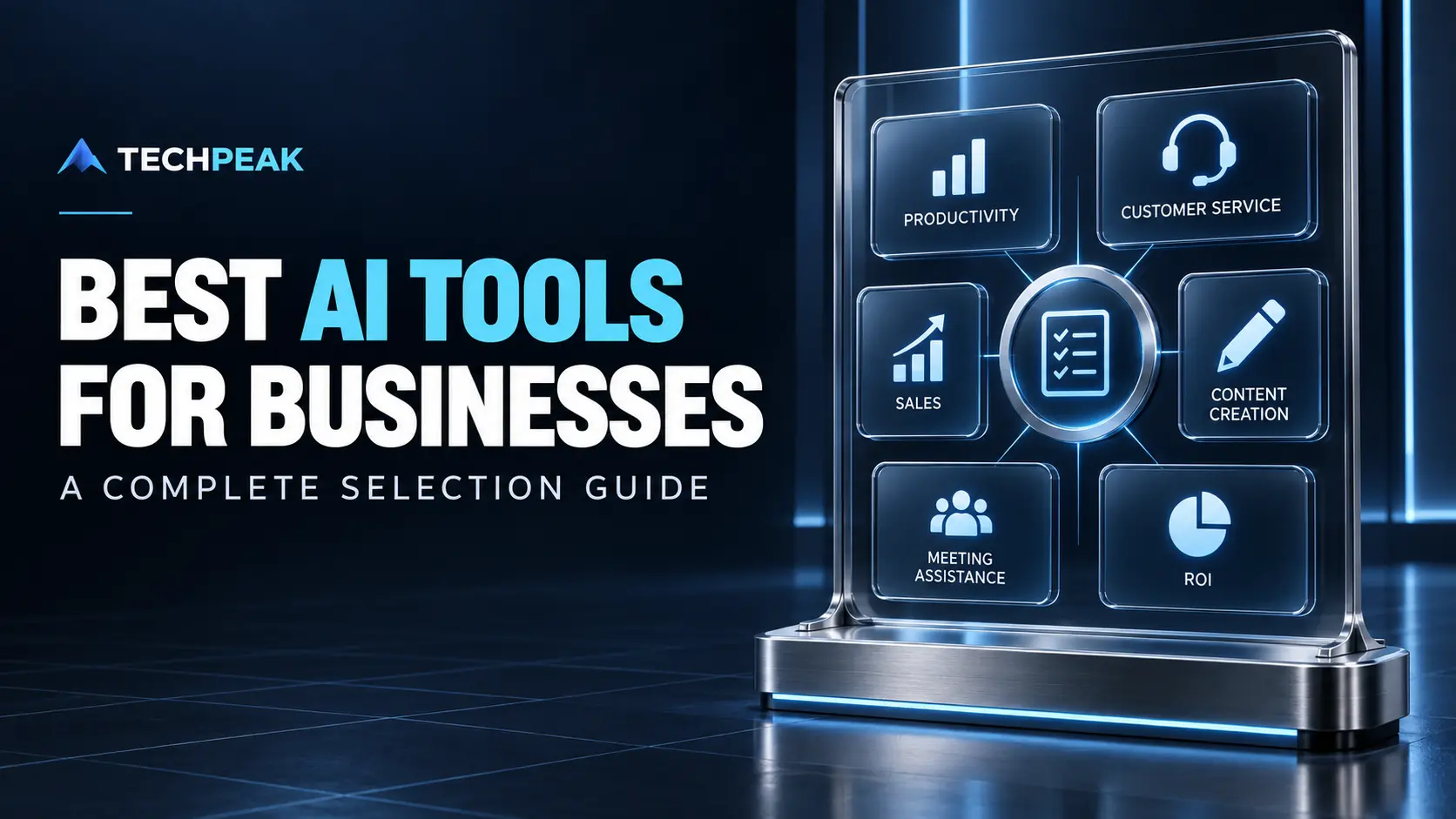
This guide compares leading categories of business AI tools, including:
- General business assistants
- Productivity platforms
- Remote-team tools
- Customer-service automation
- Sales and lead-generation software
- Content-creation platforms
- AI meeting assistants
- Workflow-automation tools
It also explains how to compare free and paid plans, evaluate data practices, run a pilot, calculate ROI, and avoid paying for overlapping tools.
Readers who want a broader explanation of AI models, machine learning, generative AI, business applications, risks, and governance should begin with TechPeak’s complete artificial intelligence guide.
Quick answer: For many U.S. businesses, the strongest starting choices are ChatGPT Business or Enterprise for broad knowledge work, Microsoft 365 Copilot for Microsoft-centered organizations, Gemini for companies built around Google Workspace, and Claude for research, writing, and document analysis. Specialized platforms such as Intercom or Zendesk may be better for customer support, HubSpot or Gong for sales, and Otter, Fireflies, Zoom AI Companion, or Teams Copilot for meeting workflows. The best choice depends on security, integrations, user adoption, task accuracy, and measurable return—not brand recognition alone.
What Are AI Tools for Business?
AI tools for business are software applications that use machine learning, generative models, natural-language processing, computer vision, predictive analytics, or automated decision systems to support organizational work.
They can help businesses:
- Draft and revise documents
- Summarize information
- Search internal knowledge
- Analyze spreadsheets
- Automate routine workflows
- Transcribe meetings
- Generate action items
- Answer customer questions
- Prioritize leads
- Create sales materials
- Produce marketing assets
- Analyze conversations
- Forecast demand
- Detect anomalies
- Support software development
Some products are general-purpose assistants. Others solve one narrow business problem.
General AI assistants
General assistants work across many tasks, including research, writing, analysis, brainstorming, file review, coding, and planning.
Common examples include:
- ChatGPT
- Microsoft Copilot
- Google Gemini
- Claude
Embedded AI tools
Embedded tools add AI directly to software a company already uses. Examples include AI features within:
- Microsoft 365
- Google Workspace
- Slack
- Notion
- Zoom
- HubSpot
- Salesforce
- Zendesk
- Canva
Embedded AI can reduce workflow friction because employees do not need to move information into another application.
Specialized AI platforms
Specialized products focus on a department or workflow, such as:
- Customer support
- Sales intelligence
- Meeting transcription
- Marketing production
- Recruiting
- Contract review
- Cybersecurity
- Accounting
- Software development
A specialized product may provide stronger workflow controls, reporting, and integrations than a general chatbot.
How to Choose the Best AI Tool for Your Business
Begin with the workflow—not the vendor.
Define the business problem
A useful problem statement is specific and measurable:
Our six-person support team spends 90 hours each month answering repeated order-status and return-policy questions. We want to reduce repetitive handling time without lowering resolution quality or customer satisfaction.
A weak problem statement is:
We need to use AI because our competitors are using it.
Identify:
- The current task
- Who performs it
- How frequently it occurs
- How long it takes
- Where errors happen
- What the delay costs
- Which systems contain the necessary data
- What successful improvement would look like
Choose the right tool category
| Business need | Appropriate AI category |
|---|---|
| Drafting, analysis, and general assistance | General business AI assistant |
| Email, documents, and office productivity | Workspace-integrated copilot |
| Repetitive support questions | Customer-service automation |
| Lead research and qualification | Sales intelligence or CRM AI |
| Call coaching and pipeline analysis | Conversation-intelligence platform |
| Blogs, ads, and creative assets | Content-creation platform |
| Meeting notes and action items | AI meeting assistant |
| Repetitive cross-application processes | AI workflow automation |
| Internal policies and knowledge retrieval | Enterprise search or knowledge assistant |
Evaluate integrations
A powerful tool becomes less useful when employees must repeatedly copy information among disconnected systems.
Check whether the product integrates with:
- Calendar
- CRM
- Help desk
- Document storage
- Project management
- Communication platforms
- Accounting software
- Analytics
- Data warehouses
- Identity providers
- Existing APIs
Native integration is not automatically better than a connector. Test whether the integration exposes the correct records, honors permissions, supports bidirectional updates, and remains reliable at the expected volume.
Evaluate output quality
Do not evaluate an AI tool with a polished vendor demonstration alone. Test it against representative work.
Build a test set containing:
- Simple routine tasks
- Difficult edge cases
- Incomplete requests
- Ambiguous instructions
- Sensitive scenarios
- Recent information
- Industry terminology
- Incorrect source data
- Tasks requiring citations
- Tasks where the correct response is to escalate
Score results for:
- Accuracy
- Completeness
- Relevance
- Tone
- Consistency
- Citation quality
- Time saved
- Human correction required
- Risk if incorrect
Examine security and data governance
Before employees enter customer, financial, health, legal, employee, or confidential business data, determine:
- Whether customer content is used to train models
- How long prompts and outputs are retained
- Where data is processed
- Which subprocessors are involved
- Whether encryption is used
- Whether single sign-on is supported
- Whether administrators can manage users
- Whether audit logs are available
- Whether permissions follow source systems
- Whether data can be deleted
- Whether legal holds and retention policies are supported
- Whether contractual security commitments are available
- Whether regulated-industry requirements are satisfied
Consumer and business plans from the same vendor may have different data controls. Review the exact plan rather than relying on the vendor’s general reputation.
Calculate total cost of ownership
Subscription price is only one cost.
Include:
- User licenses
- Consumption charges
- API usage
- Integration development
- Data preparation
- Security assessment
- Legal review
- Employee training
- Process redesign
- Ongoing administration
- Quality assurance
- Vendor management
- Migration and exit costs
- Costs of inaccurate output
A lower-priced product can be more expensive when it requires extensive correction or workflow maintenance.
Best General AI Tools for Businesses
ChatGPT for broad business work
ChatGPT is a strong general-purpose option for drafting, analysis, research, brainstorming, document work, data analysis, and custom business workflows.
It can be useful for:
- Drafting reports and proposals
- Summarizing documents
- Analyzing uploaded files
- Exploring datasets
- Creating internal assistants
- Developing marketing concepts
- Supporting coding and technical work
- Preparing meeting materials
- Turning notes into structured documents
Business buyers should compare the available business and enterprise plans according to administration, workspace controls, connectors, security requirements, capacity, and support.
Best fit: Organizations needing one flexible assistant across several departments.
Potential limitation: Broad capability can encourage uncontrolled use unless the company defines approved tasks, data rules, and quality-review requirements.
Microsoft 365 Copilot for Microsoft-centered organizations
Microsoft 365 Copilot integrates AI capabilities into Microsoft applications and organizational workflows.
Potential use cases include:
- Drafting and revising Word documents
- Analyzing Excel information
- Summarizing Outlook email threads
- Producing PowerPoint materials
- Reviewing Teams meetings
- Searching organizational information
- Building agents and automated workflows
Its main advantage is contextual access within the Microsoft environment, subject to the organization’s configuration and permissions.
Best fit: Businesses already standardized on Microsoft 365, Teams, SharePoint, and related services.
Potential limitation: Poor document permissions and disorganized SharePoint environments can reduce result quality or create governance concerns. AI does not repair an underlying information-management problem automatically.
Google Gemini for Google Workspace businesses
Gemini for Workspace can support work across Gmail, Docs, Sheets, Slides, Meet, and other Google services.
Possible uses include:
- Drafting and summarizing email
- Creating and revising documents
- Analyzing spreadsheet information
- Generating presentation content
- Summarizing meetings
- Searching business information
- Supporting research and planning
Best fit: Organizations whose employees already work primarily in Google Workspace.
Potential limitation: The value depends on plan availability, integrations, data organization, and whether the company’s main processes actually occur inside Workspace.
Claude for research and document-heavy work
Claude is commonly considered for writing, analysis, coding, research, and long-document workflows.
Potential business uses include:
- Analyzing complex documents
- Comparing policies
- Drafting detailed reports
- Summarizing research
- Reviewing contracts with human legal oversight
- Supporting software development
- Developing structured plans
- Creating and revising business materials
Best fit: Teams performing substantial research, writing, analysis, or document synthesis.
Potential limitation: As with every generative assistant, fluent output can still contain mistakes. High-stakes conclusions require verification.
Best AI Tools for Small Businesses
Small businesses usually benefit more from a compact, integrated stack than a large collection of specialized subscriptions.
Recommended small-business shortlist
| Tool | Best use | Consider when |
|---|---|---|
| ChatGPT | General writing, analysis, planning, files | The business needs a flexible multipurpose assistant |
| Microsoft 365 Copilot | Office documents, email, meetings | The company already uses Microsoft 365 |
| Gemini for Workspace | Gmail, Docs, Sheets, and Meet | The company operates in Google Workspace |
| Claude | Research and long-form document work | Accuracy-focused document synthesis is common |
| Canva | Visual marketing production | Non-designers create frequent brand assets |
| Grammarly | Business writing assistance | Written communication quality is a recurring need |
| Notion AI | Knowledge and workspace assistance | Documentation and projects live in Notion |
| Zapier | Cross-application automation | Repetitive processes span several applications |
| HubSpot | CRM, marketing, and sales workflows | The business already centralizes customer activity in HubSpot |
| Intercom or Zendesk | Customer support | Support volume justifies automation |
Start with one horizontal tool
A small company should often start with one general assistant integrated into its existing office platform. This can support several departments without requiring a separate application for every task.
After observing actual use, add a specialized tool only when it solves a validated need better than the general platform.
Avoid overlapping subscriptions
Common overlaps include:
- Several writing assistants
- Multiple meeting-recording bots
- General chatbots plus unused embedded assistants
- Separate image tools already included in a design suite
- Workflow automation platforms with duplicated connectors
- CRM AI add-ons and separate lead tools performing the same research
Audit active usage and output quality before renewing.
Best AI Productivity Tools for Remote Teams
Remote teams need AI tools that improve coordination without creating more notifications, recordings, and repositories.
Microsoft 365 Copilot
Best for teams collaborating through Teams, Outlook, Word, PowerPoint, SharePoint, and Excel.
It may help employees:
- Catch up on discussions
- Prepare meeting summaries
- Draft internal documents
- Locate organizational information
- Turn discussions into action items
- Analyze work stored in Microsoft applications
Gemini for Google Workspace
Best for distributed teams collaborating through Gmail, Drive, Docs, Sheets, Slides, and Meet.
It can reduce the need to move meeting, document, and email information into a separate assistant.
Slack AI
Slack’s AI features can support conversation summarization, search, channel catch-up, and knowledge retrieval inside Slack environments.
Best fit: Teams whose operational conversations and decisions occur primarily in Slack.
Watch for: Informal conversations may contain outdated, speculative, or incomplete information. Summaries should not automatically become authoritative company policy.
Notion AI
Notion AI can assist with searching workspace knowledge, drafting, summarizing, and organizing information inside Notion.
Best fit: Teams using Notion as a central project, documentation, and knowledge system.
Watch for: An AI search layer cannot compensate for duplicate, outdated, or ownerless documentation. Establish content ownership and review dates.
Zapier
Zapier’s AI automation capabilities can connect workflows across numerous business applications.
Potential examples include:
- Categorizing form submissions
- Summarizing support requests
- Drafting CRM notes
- Routing leads
- Creating project tasks
- Triggering approvals
- Preparing internal notifications
Best fit: Small and mid-sized companies that need cross-application automation without developing a custom integration.
Watch for: Automated errors can scale rapidly. Add validation, approval, error handling, and activity logs.
AI Tools for Customer-Service Automation
Customer-service AI can answer repetitive questions, summarize conversations, suggest responses, route requests, translate messages, and assist human agents.
Intercom
Intercom Fin is designed for AI-assisted customer support and automated resolution using company support content and connected information.
Potential uses include:
- Answering repeated questions
- Resolving straightforward support issues
- Gathering customer information
- Routing complex conversations
- Assisting support agents
- Analyzing support interactions
Best fit: Digital businesses seeking an AI-first support experience integrated with an established customer-messaging platform.
Zendesk AI
Zendesk AI supports customer-service automation within the Zendesk ecosystem.
Capabilities may include:
- Automated responses
- Intent detection
- Ticket classification
- Agent assistance
- Conversation summarization
- Routing and prioritization
- Quality monitoring
Best fit: Organizations already using Zendesk or requiring a mature ticket-based support platform.
Salesforce Agentforce
Salesforce Agentforce provides agent capabilities connected to Salesforce data and workflows.
Potential applications include:
- Customer-service assistance
- Sales support
- Record updates
- Knowledge retrieval
- Workflow execution
- Customer-facing agents
Best fit: Organizations with substantial customer, service, and operational data already governed within Salesforce.
HubSpot customer-service AI
HubSpot Breeze adds AI functions across HubSpot’s customer platform.
It may be practical for smaller organizations that want marketing, sales, service, and CRM activity in one system.
Best fit: Growing businesses already using HubSpot for customer management.
Customer-service evaluation checklist
Before deployment, test whether the tool can:
- Identify customer intent
- Retrieve the correct policy
- Respect account permissions
- Handle unclear questions
- recognize emotional or urgent issues
- Escalate appropriately
- Avoid inventing refunds, guarantees, or policies
- Preserve conversation history
- Support accessibility needs
- Produce usable analytics
- Meet response-time requirements
Keep humans in high-risk decisions
Require human review for:
- Account termination
- High-value refunds
- Safety incidents
- Legal threats
- Discrimination complaints
- Medical or financial questions
- Identity disputes
- Vulnerable customers
- Unusual billing problems
- Situations with uncertain source information
Customer-service automation should reduce repetitive work without blocking access to a qualified human.
AI Tools for Sales and Lead Generation
AI sales tools can research accounts, enrich records, summarize calls, draft outreach, identify buying signals, and support pipeline analysis.
HubSpot Breeze
HubSpot’s AI features can support:
- CRM record summaries
- Content drafting
- lead research
- prospecting workflows
- Sales communication
- Customer-service activity
- Marketing automation
Best fit: Small and mid-sized businesses seeking an integrated CRM, marketing, sales, and service platform.
Salesforce Agentforce and Einstein capabilities
Salesforce AI can support sales teams working inside its CRM ecosystem.
Potential uses include:
- Account research
- Opportunity summaries
- Recommended actions
- Forecast support
- Customer-data retrieval
- Automated workflow execution
- Sales and service agents
Best fit: Larger organizations already invested in Salesforce data and processes.
Gong
Gong focuses on revenue intelligence and conversation analysis.
It can help with:
- Call analysis
- Coaching
- Deal inspection
- Pipeline visibility
- Customer-language analysis
- Follow-up preparation
- Risk identification
Best fit: Sales organizations with meaningful call volume and managers who will act on conversation insights.
Apollo
Apollo combines business contact information, prospecting, engagement, and sales-workflow capabilities.
Potential uses include:
- Account research
- Contact discovery
- List creation
- Outreach assistance
- Lead scoring
- Workflow automation
Best fit: B2B prospecting teams requiring both data and engagement workflows.
Sales AI risks
Businesses must guard against:
- Incorrect contact data
- Excessive automated outreach
- Misleading personalization
- Unverified company facts
- Emails pretending to be individually researched
- Discriminatory scoring
- Privacy violations
- Messages sent without proper controls
- Brand damage from repetitive AI-generated copy
Sales AI should improve research and preparation, not convert every prospect into an automated target.
AI Tools for Content Creation
AI content tools can accelerate ideation, outlines, drafting, editing, repurposing, visual production, and workflow coordination. They do not eliminate the need for strategy, subject expertise, fact-checking, and editorial review.
ChatGPT
Useful for:
- Content ideation
- Research organization
- Outlining
- Drafting
- Rewriting
- Interview-question preparation
- Data analysis
- Repurposing source material
- Editorial checklists
Claude
Useful for:
- Long-document analysis
- Detailed drafts
- Style transformation
- Comparing sources
- Summarizing research
- Structured editorial planning
Gemini
Useful for organizations creating content within Google’s productivity environment, particularly when source materials are stored in Workspace.
Jasper
Jasper is positioned around marketing content, brand controls, and campaign workflows.
Best fit: Marketing departments seeking structured brand and campaign features rather than only a general chatbot.
Grammarly
Grammarly assists with tone, clarity, correctness, and business writing across supported applications.
Best fit: Organizations that need writing assistance within employees’ daily communication tools.
Canva
Canva’s AI tools combine design workflows with generative features for presentations, social graphics, images, video, and marketing materials.
Best fit: Small businesses and marketing teams that need rapid visual production without a full design department.
Content-quality controls
Every AI-assisted business article should be reviewed for:
- Factual accuracy
- Originality
- Search intent
- Brand voice
- Unsupported claims
- Fabricated citations
- Legal or regulatory statements
- Product details
- Current statistics
- Copyright concerns
- Repetition
- Reader value
- Disclosure requirements
Publishing more content is not automatically a competitive advantage. A smaller library of authoritative resources may perform better than a large volume of interchangeable AI-generated pages.
AI Meeting Assistants Compared
Meeting assistants can record, transcribe, summarize, extract action items, and make conversations searchable.
| Tool | Strongest fit | Typical advantage |
|---|---|---|
| Microsoft Teams Copilot | Microsoft 365 organizations | Context inside Teams and Microsoft workflows |
| Gemini in Google Meet | Google Workspace organizations | Integration with Google meetings and documents |
| Zoom AI Companion | Zoom-centered teams | Native Zoom meeting workflows |
| Otter | Cross-team transcription and searchable conversations | Established transcription-focused workflow |
| Fireflies.ai | Teams using several meeting platforms | Broad meeting capture and integrations |
| Fathom | Individuals and customer-facing teams | Accessible summaries and call highlights |
Capabilities and plan availability change frequently. Confirm the current official documentation before purchasing.
Microsoft Teams Copilot
Best for organizations already conducting meetings and managing work through Microsoft Teams.
Potential benefits include:
- Meeting summaries
- Discussion analysis
- Action items
- Catch-up support
- Follow-up drafting
- Connection with Microsoft documents and communication
Gemini in Google Meet
Best for Google Workspace teams wanting meeting assistance connected to their existing Google environment.
Zoom AI Companion
Zoom AI Companion is suited to organizations using Zoom for meetings, collaboration, and communication.
Potential uses include:
- Meeting summaries
- Catch-up assistance
- Action items
- Conversation queries
- Drafting follow-ups
Otter
Otter.ai focuses on meeting transcription, summaries, searchable conversations, and meeting knowledge.
Best fit: Teams that prioritize transcription and reusable meeting records.
Fireflies.ai
Fireflies.ai records and analyzes meetings across supported platforms and can connect meeting information with other business applications.
Best fit: Companies requiring broad integrations and conversation analysis.
Fathom
Fathom provides AI meeting notes, summaries, highlights, and related workflows.
Best fit: Individuals and teams wanting straightforward meeting capture and follow-up support.
Questions to ask before choosing a meeting assistant
- Which meeting platforms are supported?
- Can the tool record without adding a visible bot?
- How are participants notified?
- Where are recordings stored?
- How long are recordings retained?
- Can administrators delete data?
- Does it recognize speakers accurately?
- Can users correct transcripts?
- Which CRM and project integrations are supported?
- Does it support required languages and accents?
- Can sensitive meetings be excluded?
- Does it satisfy applicable recording-consent laws?
- Are summaries grounded in the transcript?
- Can action items be reviewed before they are assigned?
Meeting consent and privacy
Recording and transcription laws can vary by jurisdiction. Businesses should establish a clear consent and notification policy, especially when meeting participants are located in different U.S. states or countries.
Do not allow meeting bots to join confidential, legal, HR, medical, board, or security discussions automatically without an approved policy.
Free vs. Paid AI Tools for Businesses
Free AI tools can be useful for exploration and low-risk individual tasks. They may not provide the administration, security, support, capacity, or contractual protections a business requires.
| Factor | Free plan | Paid business plan |
|---|---|---|
| Usage limits | Usually lower | Higher or more flexible |
| Model access | May be limited | Often broader |
| Administration | Minimal | Workspace and user controls |
| Security documentation | Limited or general | More detailed business controls |
| Data commitments | Vary | Often clearer contractual terms |
| Connectors | Limited | More business integrations |
| Support | Community or basic | Business or enterprise support |
| Auditability | Often limited | May include logs and reporting |
| Collaboration | Basic | Shared workspaces and governance |
| Service commitments | Usually none | May include enterprise commitments |
When a free tool may be sufficient
A free tool may be appropriate for:
- Initial experimentation
- Public-information brainstorming
- Low-risk personal productivity
- Testing basic usability
- Comparing output styles
- Creating a preliminary business case
Do not enter confidential data merely because an experiment is free.
When a paid plan is justified
Consider a paid business plan when the organization needs:
- Centralized administration
- Higher usage capacity
- Data-protection commitments
- Single sign-on
- Shared workspaces
- Internal knowledge connectors
- Audit logs
- Priority support
- Team collaboration
- API access
- Compliance documentation
- Predictable availability
Free is not cost-free
A free product can still create:
- Training costs
- Review time
- Data leakage risk
- Inconsistent processes
- Shadow AI
- Duplicate work
- Vendor lock-in
- Migration effort
Assess operational and risk costs, not only the subscription price.
How to Calculate the ROI of an AI Tool
AI ROI compares the measurable value created by a tool with the complete cost of adopting and operating it.
Basic AI ROI formula
AI ROI=Total Measurable Benefit−Total AI CostTotal AI Cost×100\text{AI ROI} = \frac{\text{Total Measurable Benefit} – \text{Total AI Cost}} {\text{Total AI Cost}} \times 100
If an AI tool creates $60,000 in annual measurable benefit and costs $20,000 in total:
AI ROI=60,000−20,00020,000×100=200%\text{AI ROI} = \frac{60{,}000 – 20{,}000}{20{,}000} \times 100 = 200\%
That result means the net benefit equals twice the total cost. It does not prove that every claimed dollar resulted solely from AI.
Calculate time-savings value
Time-Savings Value=Hours Saved×Loaded Hourly Cost×Realization Rate\text{Time-Savings Value} = \text{Hours Saved} \times \text{Loaded Hourly Cost} \times \text{Realization Rate}
The realization rate accounts for the fact that saved time does not always become productive or billable work.
Example:
- 10 employees
- 3 hours saved per employee each month
- $55 loaded hourly cost
- 70% realization rate
10×3×12×55×0.70=$13,86010 \times 3 \times 12 \times 55 \times 0.70 = \$13{,}860
Do not claim the full theoretical time saving unless the company can explain how that capacity was used.
Include revenue and quality benefits
Possible benefits include:
- Faster lead response
- Increased conversion
- Reduced customer churn
- More support capacity
- Shorter sales cycles
- Reduced error correction
- Faster project delivery
- Increased billable capacity
- Lower outsourcing costs
- Better customer satisfaction
Avoid counting the same benefit twice. For example, do not count both saved hours and the full revenue generated during those hours unless the relationship is defensible.
Include all costs
Calculate:
Total AI Cost=Licenses+Usage+Implementation+Integration+Training+Administration+Review+Risk Controls\text{Total AI Cost} = \text{Licenses} + \text{Usage} + \text{Implementation} + \text{Integration} + \text{Training} + \text{Administration} + \text{Review} + \text{Risk Controls}
Potential hidden costs include:
- Prompt and workflow development
- Data cleanup
- Human verification
- Legal review
- Security testing
- Change management
- Failed experiments
- Duplicate subscriptions
- Vendor migration
- Incorrect outputs
Use an ROI scorecard
| Metric | Before AI | During pilot | Target |
|---|---|---|---|
| Average task time | 45 minutes | 28 minutes | 25 minutes |
| Error correction rate | 12% | 8% | Below 7% |
| Weekly output | 40 units | 58 units | 55 units |
| Employee adoption | Not applicable | 72% | Above 75% |
| Customer satisfaction | 84% | 85% | At least 84% |
| Cost per completed task | $34 | $25 | Below $27 |
A tool that saves time but lowers quality or customer trust may have negative overall value.
How to Run an AI Tool Pilot
Step 1: Select one workflow
Choose a frequent, measurable task with manageable risk. Avoid beginning with the most sensitive or business-critical process.
Step 2: Establish a baseline
Measure current:
- Task time
- Volume
- Accuracy
- Cost
- Employee effort
- Customer outcome
- Rework
- Delay
Step 3: Define success criteria
Examples:
- Reduce average handling time by 20%
- Maintain accuracy above 95%
- Achieve 70% weekly adoption
- Reduce backlog by 15%
- Keep customer satisfaction unchanged or higher
- Recover the pilot cost within six months
Step 4: Define approved use
Document:
- Authorized users
- Permitted data
- Prohibited data
- Required human review
- Escalation procedures
- Output ownership
- Retention rules
- Incident reporting
Step 5: Train participants
Training should cover:
- Appropriate tasks
- Prompting or workflow operation
- Source verification
- Confidentiality
- Bias
- Hallucinations
- Copyright
- Security
- Escalation
- Feedback procedures
Step 6: Measure real work
Test the tool on representative work rather than staged examples. Compare performance with the baseline.
Step 7: Decide whether to expand
Expand only when:
- Benefits are measurable
- Risks are controlled
- Users adopt the tool
- Output quality is acceptable
- Integration is sustainable
- Total cost is justified
- The vendor satisfies procurement requirements
AI Tool Security and Governance Checklist
Before approving a business AI tool, assess:
Data
- What data enters the platform?
- Is data used for model training?
- Can training be disabled?
- How long is data retained?
- Can administrators delete it?
- Where is it stored and processed?
Access
- Does the tool support role-based permissions?
- Is single sign-on available?
- Can accounts be provisioned centrally?
- Are source-system permissions respected?
- Are audit logs available?
Vendor
- Does the vendor provide security documentation?
- Are subprocessors disclosed?
- Is incident notification addressed?
- Are service commitments documented?
- Is an appropriate data-processing agreement available?
Output
- Does the tool provide sources?
- Can employees verify results?
- Can output be exported?
- Can risky actions require approval?
- Are automated decisions logged?
Operations
- Who owns the platform?
- Who reviews access?
- Who approves new use cases?
- How are incidents reported?
- What is the exit plan?
- Can company data be migrated or deleted?
Common AI Tool Selection Mistakes
Buying before defining the problem
A broad AI mandate can produce unused licenses and unclear results.
Choosing solely by model benchmarks
Benchmark performance may not reflect your documents, integrations, users, or workflow.
Ignoring employee adoption
A tool cannot produce value when employees find it inconvenient, inaccurate, or disconnected from their work.
Automating a broken process
AI can make an inefficient process run faster without making it better. Simplify the workflow first.
Overlooking source permissions
An internal assistant should not expose information an employee was never authorized to see.
Trusting fluent output
Confidence and accuracy are different. Require verification proportional to risk.
Paying for overlapping products
Tool sprawl increases costs, data exposure, and user confusion.
Skipping an exit strategy
Understand how to export data, remove integrations, delete company information, and continue operations if the tool is discontinued.
Scaling before measuring
A limited pilot provides better evidence than a company-wide deployment based on enthusiasm.
Best AI Tool by Business Need
| Business requirement | Recommended starting point |
|---|---|
| Broad cross-functional assistance | ChatGPT Business/Enterprise, Claude, Gemini, or Microsoft Copilot |
| Microsoft 365 productivity | Microsoft 365 Copilot |
| Google Workspace productivity | Gemini for Workspace |
| Long-document analysis | Claude or ChatGPT |
| Small-business visual content | Canva |
| Business writing assistance | Grammarly |
| Workspace knowledge | Notion AI, Slack AI, Microsoft Copilot, or Gemini |
| Cross-app automation | Zapier |
| Customer-service automation | Intercom, Zendesk, HubSpot, or Salesforce |
| CRM-centered sales AI | HubSpot or Salesforce |
| Sales-call intelligence | Gong |
| Prospect data and engagement | Apollo |
| Zoom meetings | Zoom AI Companion |
| Cross-platform meeting notes | Otter, Fireflies.ai, or Fathom |
These are starting recommendations, not universal rankings. Conduct a pilot before committing to a major rollout.
AI Tool Selection Checklist
Before purchasing:
- Define the workflow
- Establish baseline performance
- Set measurable success criteria
- Identify required integrations
- Review the exact business plan
- Evaluate data-use terms
- Conduct a security review
- Test representative tasks
- Include edge cases
- Measure correction time
- Calculate total cost
- Compare overlapping tools
- Confirm administrative controls
- Define human review
- Plan user training
- Create an exit strategy
- Run a limited pilot
- Review results before expansion
Frequently Asked Questions
What is the best AI tool for businesses?
There is no universal best tool. ChatGPT is a strong multipurpose assistant, Microsoft 365 Copilot fits Microsoft-centered organizations, Gemini fits Google Workspace users, and Claude is strong for research and document-heavy workflows. Specialized business needs may require dedicated platforms.
What is the best AI tool for a small business?
A small business should usually begin with one general assistant that integrates with its existing office suite. ChatGPT, Microsoft 365 Copilot, Gemini, or Claude can be suitable depending on workflows, security requirements, and current software.
Which AI tools are best for remote teams?
Microsoft 365 Copilot, Gemini for Workspace, Slack AI, Notion AI, Zoom AI Companion, and AI meeting assistants can help remote teams summarize communication, find knowledge, prepare action items, and coordinate work.
Which AI tool is best for customer service?
Intercom, Zendesk, HubSpot, and Salesforce offer different customer-service automation capabilities. The best choice depends on the company’s existing help desk, knowledge base, CRM, support volume, and escalation requirements.
Which AI tools help with sales and lead generation?
HubSpot, Salesforce, Gong, and Apollo are commonly considered for CRM assistance, account research, conversation intelligence, prospecting, lead workflows, and pipeline management.
What are the best AI tools for content creation?
ChatGPT, Claude, Gemini, Jasper, Grammarly, and Canva support different parts of content production. Businesses should retain human strategy, fact-checking, brand review, and subject expertise.
What is the best AI meeting assistant?
Teams Copilot is a natural fit for Microsoft users, Gemini can suit Google Workspace teams, and Zoom AI Companion fits Zoom-centered organizations. Otter, Fireflies.ai, and Fathom are useful cross-platform alternatives.
Are free AI tools safe for business use?
Not automatically. Review the exact plan’s data use, retention, training, security, and administration terms. Avoid entering confidential or regulated information into an unapproved free service.
Are paid AI tools worth the cost?
A paid tool may be worthwhile when it produces measurable time, quality, revenue, or customer-service improvements that exceed total ownership costs. Run a controlled pilot before expanding.
How do businesses calculate AI ROI?
Subtract total AI costs from measurable benefits, divide the result by total costs, and multiply by 100. Include licenses, implementation, integrations, training, administration, human review, and risk controls.
How long should an AI pilot last?
A pilot should run long enough to capture representative work and recurring problems. For many business workflows, four to twelve weeks is reasonable, although seasonal or low-volume processes may require longer.
Can AI tools replace employees?
AI tools can automate or accelerate particular tasks, but jobs contain multiple responsibilities, relationships, judgments, and accountability requirements. Evaluate work at the task level instead of assuming an entire position can be replaced.
How many AI tools should a small business use?
Start with the minimum number needed to solve defined problems. One general assistant and one specialized tool may provide more value than several overlapping subscriptions.
What information should employees never enter into an AI tool?
Employees should not enter confidential, regulated, customer, employee, financial, health, legal, credential, source-code, or trade-secret information unless the specific tool and use case have been approved for that data.
How often should a business review its AI tools?
Review active usage, costs, security, integrations, accuracy, and ROI at least quarterly. Conduct additional reviews after major product, pricing, policy, or regulatory changes.
Final Takeaway
The best AI tool is the one that improves a specific workflow while meeting the organization’s security, integration, accuracy, governance, and budget requirements.
A practical selection process should:
- Define the business problem.
- Measure the current workflow.
- Choose the appropriate tool category.
- Evaluate integrations and data controls.
- Test representative tasks.
- Calculate total ownership cost.
- Run a limited pilot.
- Measure quality and adoption.
- Compare benefits with costs.
- Expand only after demonstrating value.
Avoid purchasing AI software solely because it is popular or because a competitor announced an adoption initiative. Sustainable business value comes from matching technology to a well-understood process and maintaining human accountability for consequential outcomes.